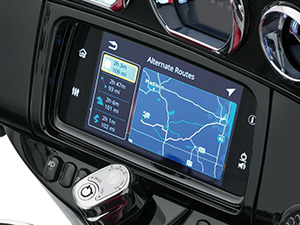
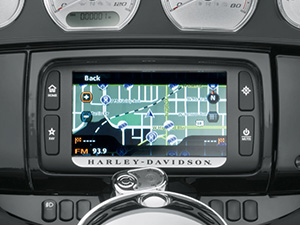
Update your Boom!™ Box Navigation System
Each day, about 2.7 million changes are made to the road network worldwide. Don't let any of them affect your ride.

Each day, about 2.7 million changes are made to the road network worldwide. Don't let any of them affect your ride.

Don't stress about outdated maps and instructions. Ride with the peace-of-mind knowing that your updated navigation system will prepare you for unexpected situations arising from changes in the road network.

Using updated maps saves you time by providing optimal route planning. That means less time planning the trip and more time enjoying the journey.

Further improve your road maps by updating Points of Interest (POI) that includes gas stations, dealerships, ATMs, restaurants, accomodations and many other travel-essential pit stops.
Don't stress about outdated maps and instructions. Ride with the peace-of-mind knowing that your updated navigation system will prepare you for unexpected situations arising from changes in the road network.
Using updated maps saves you time by providing optimal route planning. That means less time planning the trip and more time enjoying the journey.
Further improve your road maps by updating Points of Interest (POI) that includes gas stations, dealerships, ATMs, restaurants, accomodations and many other travel-essential pit stops.
Roads are constantly changing. Keep your map up-to-date and ride with peace-of-mind. Maps include updates of the road network, home addresses, postal codes, display signposts, lane information and many more.
There is a range of update solutions to choose from:
Single time annual update - Download and install the latest version of any chosen map once a year. * Subscribe to notifications to learn when a new update is available.
Intercontinental replacement – Planning a tour to another continent? Update your navigation system to the freshest map of another region and restore your original map anytime for free.
*Additional costs apply.
Your map comes with a wide range of POIs (Points of Interest). Find hotels, dealerships, tourist attractions, pharmacies, banks & ATMs, airports, and parking garages - whatever you need during your journey.
Please note that content is provided by third parties. We, as the service provider, do not make any representation regarding the suitability, accuracy, completeness or timeliness of the content, and shall not be held liable for any deficiencies thereof.
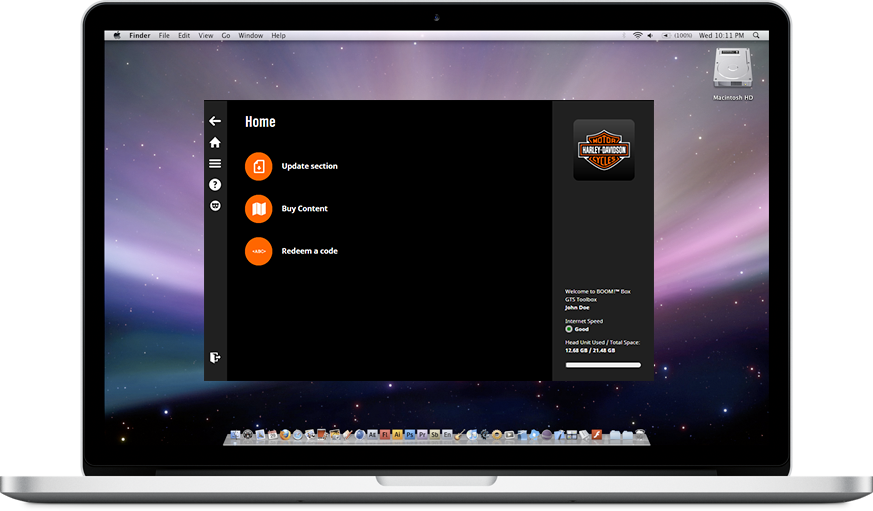
Download the Boom!™ Box Toolbox now to install free updates and purchase a wide variety of maps. Once you connect your navigation device to the Toolbox, you can browse and purchase compatible items in the online catalogue. In addition, the application enables you to upload your own points of interest onto your device, remove unnecessary content and to make backups to avoid any data loss.
Supported platforms: all Windows OS supported by Microsoft (except server OS); all MacOS versions supported by Apple (only for Boom!™ Box GTS). Please note that Toolbox requires a minimum display resolution of 1024*768 and 10 GB free space on your hard drive. Make sure your Harley-Davidson BOOM!™ Box has software version MY19.18.35.00 or newer.
Select a device:
| 1 | Insert a USB drive into your Boom!™ Box Navigation System and save its navigation data |
| 2 | Download the Boom!™ Box Toolbox to your computer and insert the USB drive |
| 3 | Follow the instructions on the screen to update your map |
| 4 | Re-insert the USB drive into your Boom!™ Box Navigation System and upload the data |
| 1 | Insert a USB drive into your Boom!™ Box Navigation System and save its navigation data |
| 2 | Download the Boom!™ Box Toolbox to your computer and insert the USB drive |
| 3 | Follow the instructions on the screen to update your map |
| 4 | Re-insert the USB drive into your Boom!™ Box Navigation System and upload the data |
Sign up and start receiving notifications about the availability of map updates, new contents and software updates.